Amplify Console
-
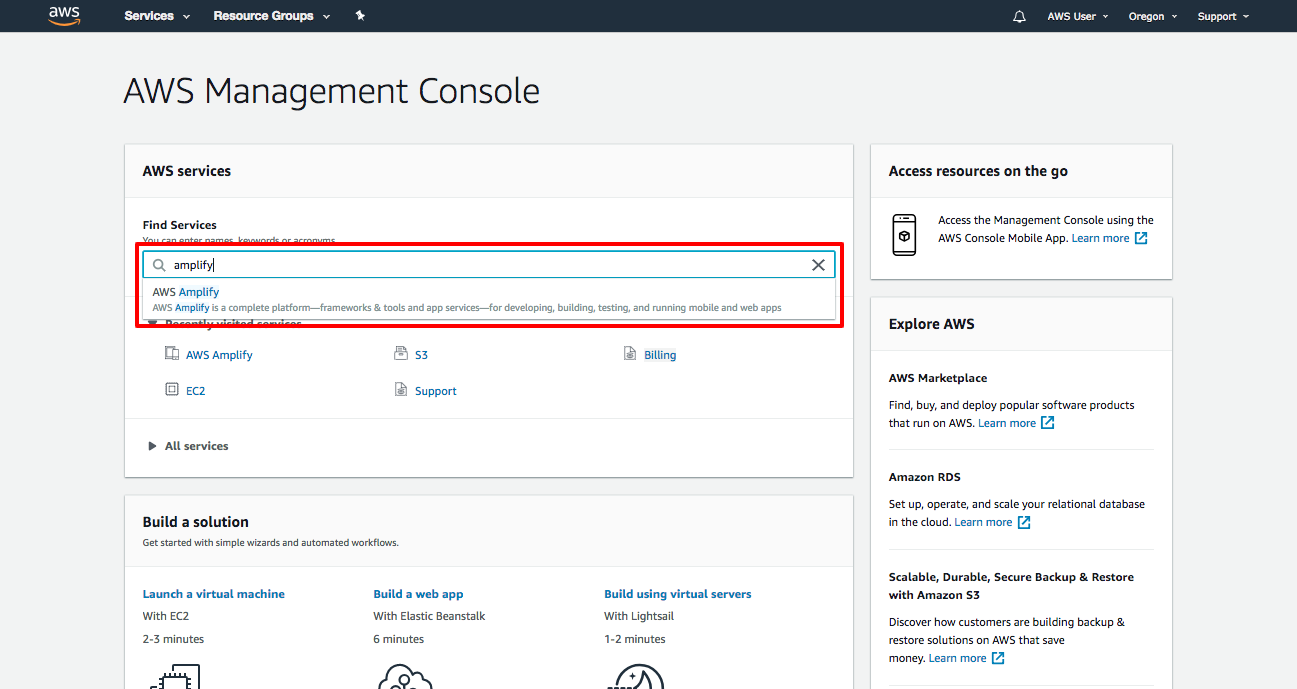
Login to
AWS Management Console
and Search for Amplify service
-
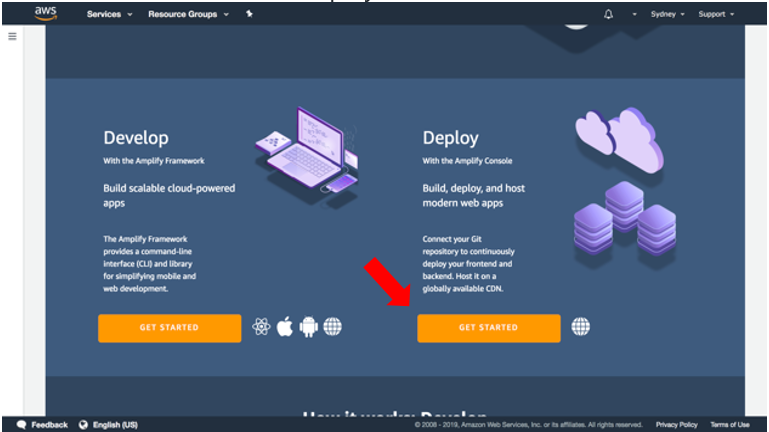
In AWS Amplify service console, select "Get Started" under
"Deploy"
-
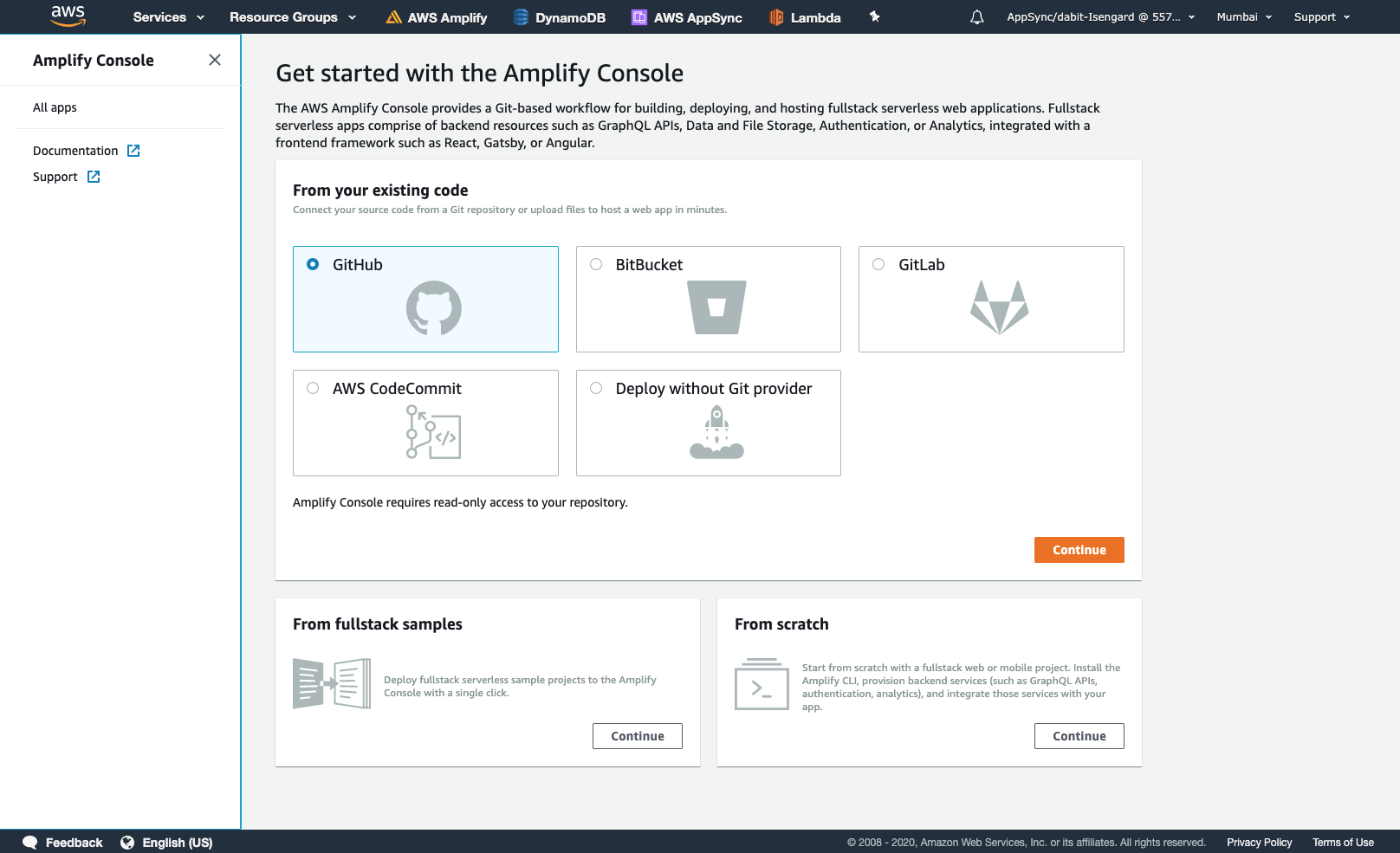
Select the CMS where repo is deployed. We are taking Github for
example here.
-
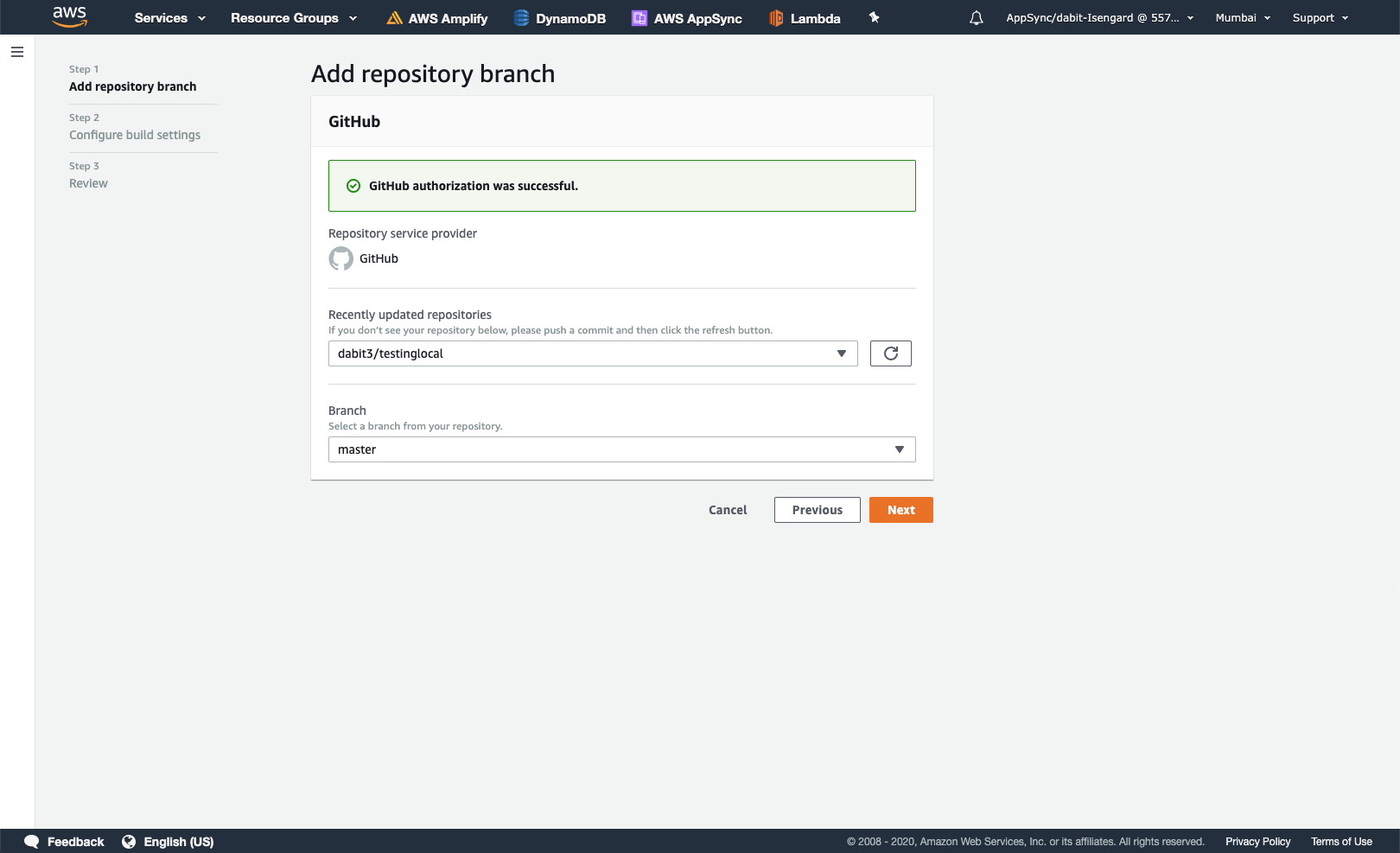
Authenticate with the CMS and choose the branch of the appropriate
repo
-
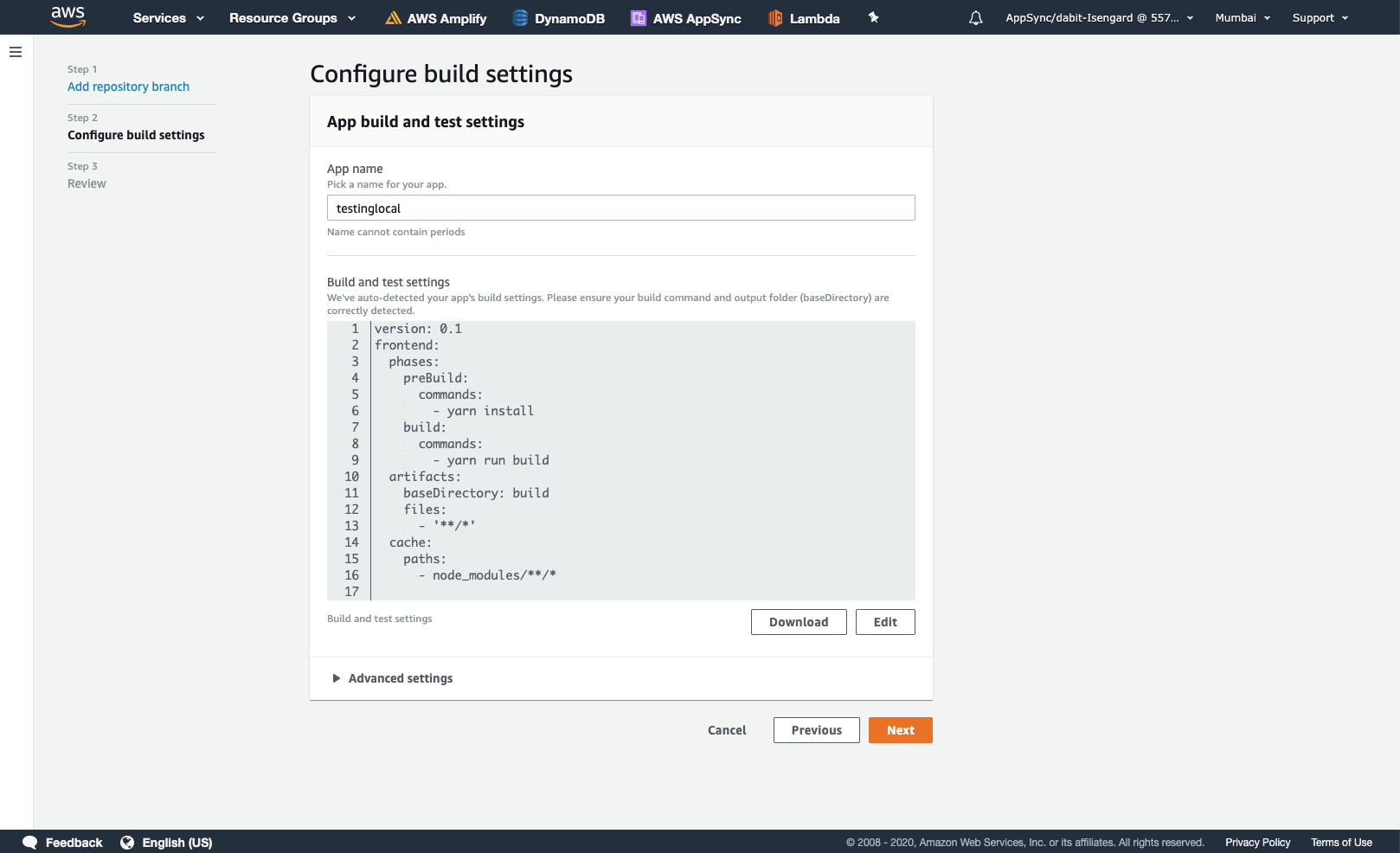
Accept default build settings and select next
-
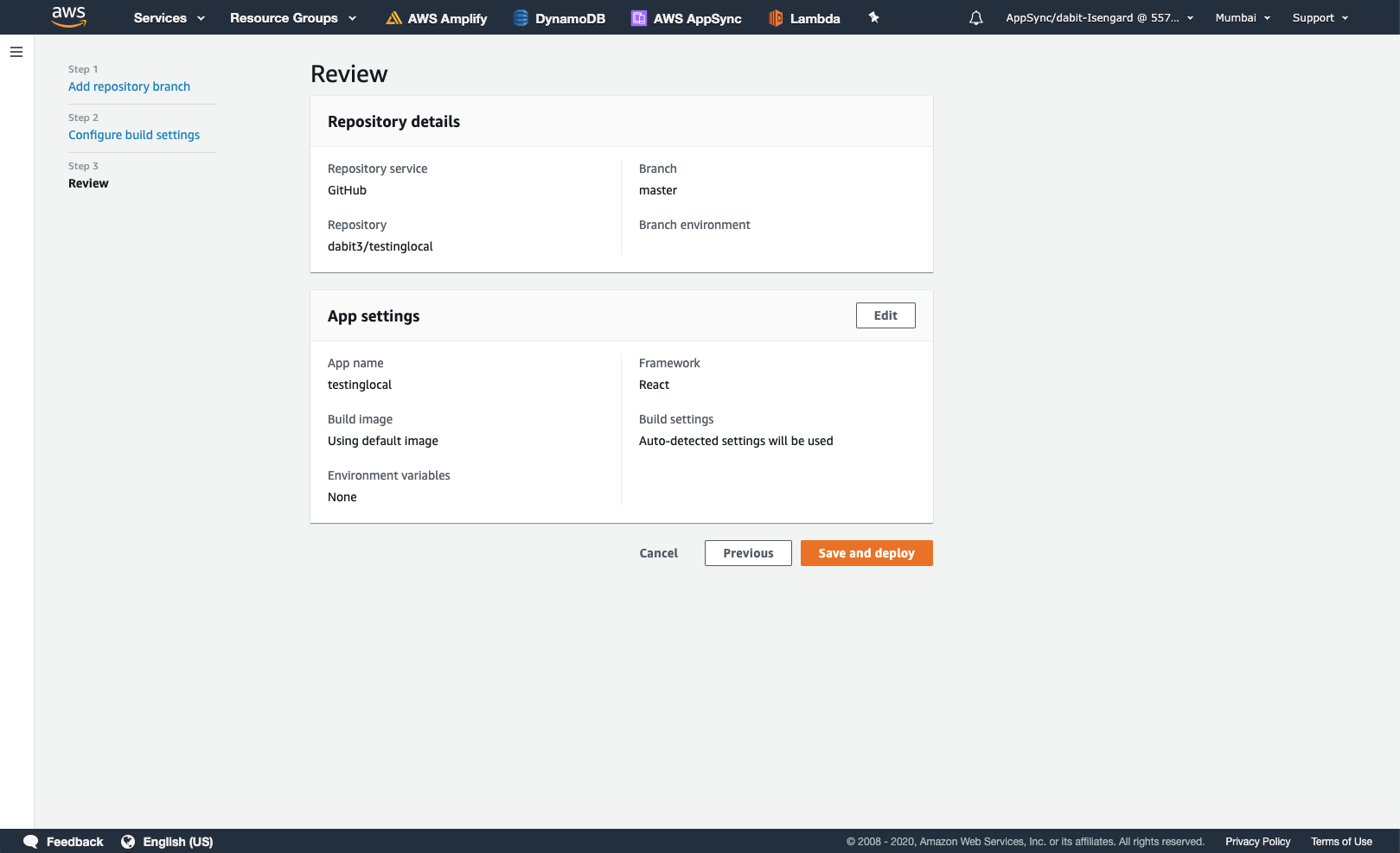
Review final details and select "Save and Deploy"
-
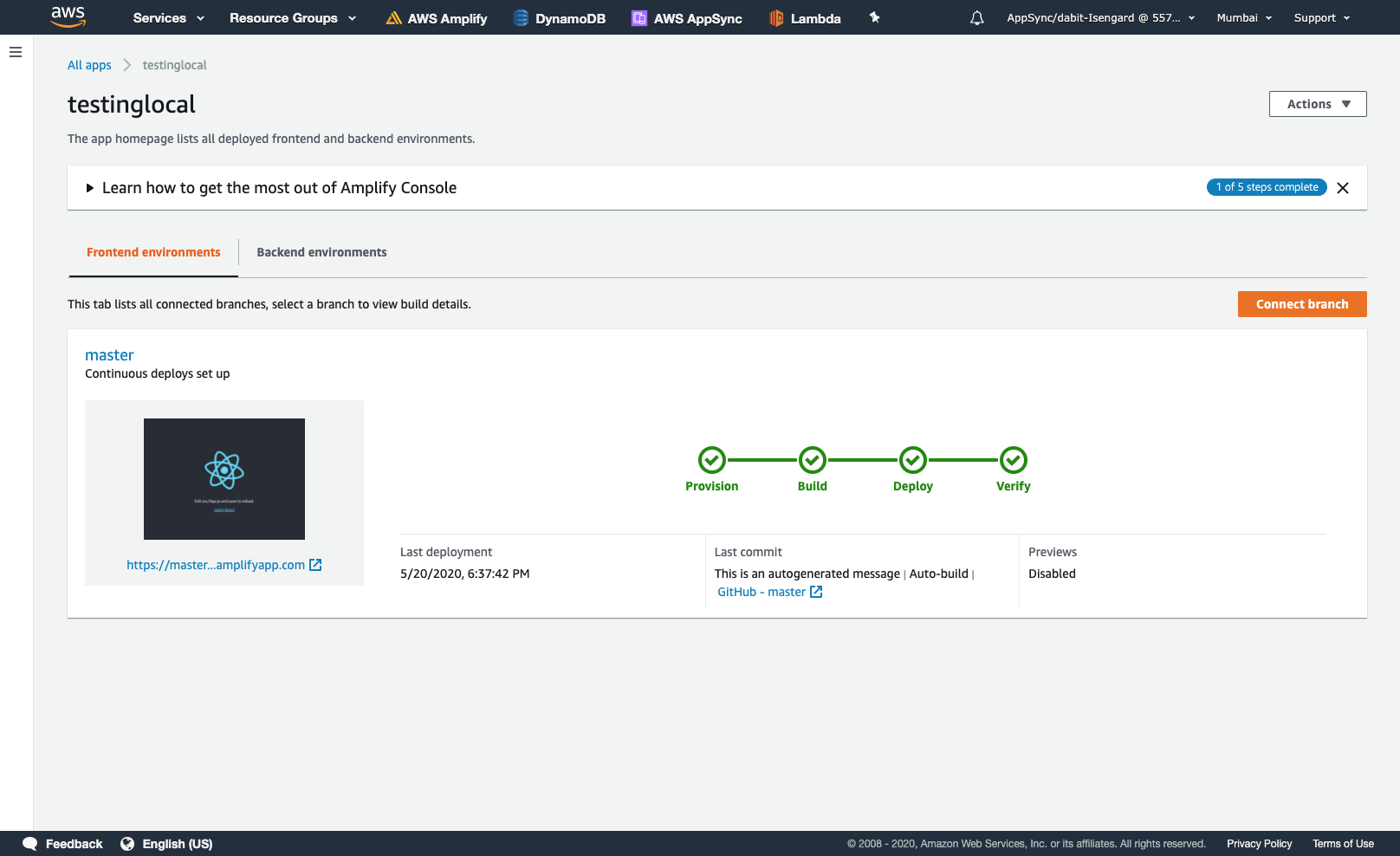
Amplify will now build the source code and deploy the app at
https://...amplifyapp.com.
Amplify CLI
Initialize amplify
    $ amplify init
    > Enter a name for the project:
      <sets default configuration here>
    > Initialize the project with the above configuration?
    > Select the authentication method you want to use: (Use arrow keys): AWS profile / AWS access keys
      <on selecting AWS profile>
        > Please choose the profile you want to use

    > Adding backend environment dev to AWS Amplify Console app:
Other important features
$ amplify add <category>
|
Add any features eg. API |
$ amplify status
|
Check status on local and deployed |
$ amplify push
|
build all your local backend resources and provision it in the
cloud
|
$ amplify console
|
open the Amplify Console and view your project status |
$ amplify publish
|
build all your local backend and frontend resources (if you
have hosting category added) and provision it in the cloud
|